
For too long, coaches would draw up a set, and then figure out a way to get it to their team. Take a photo of a whiteboard. Print outs. Or they'd screenshot a diagram, text it out, and hope somebody actually looks at it. Elite Hoops was built to make that flow a thing of the past, and today we're making the whole process even better.
Introducing Share Links: Share Links are here for every play, practice plan, and drill in Elite Hoops. Tap share, send the link, and anyone can watch it in their browser — fully animated, with your notes — no app install, no account, nothing to set up on their end.
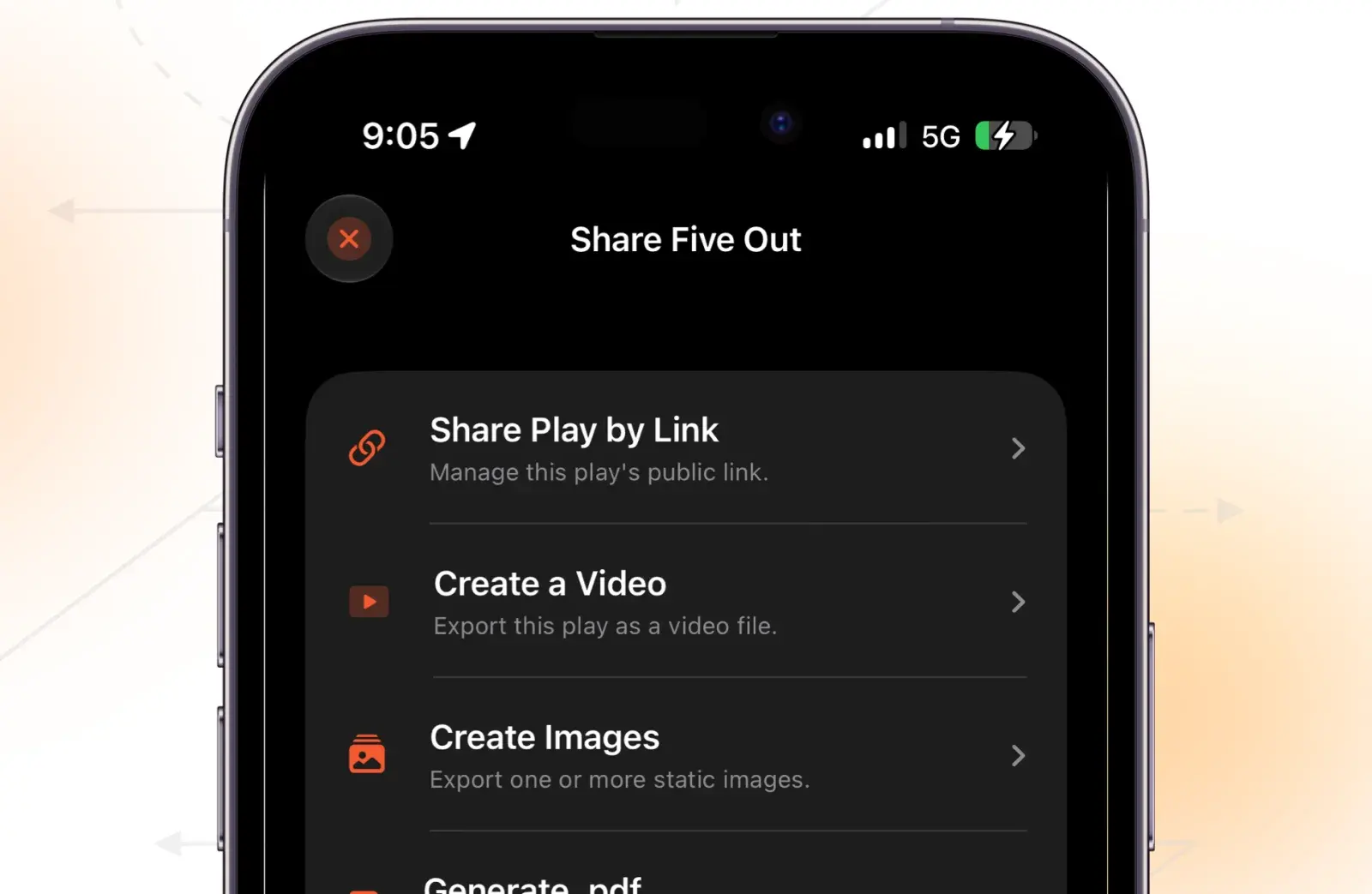
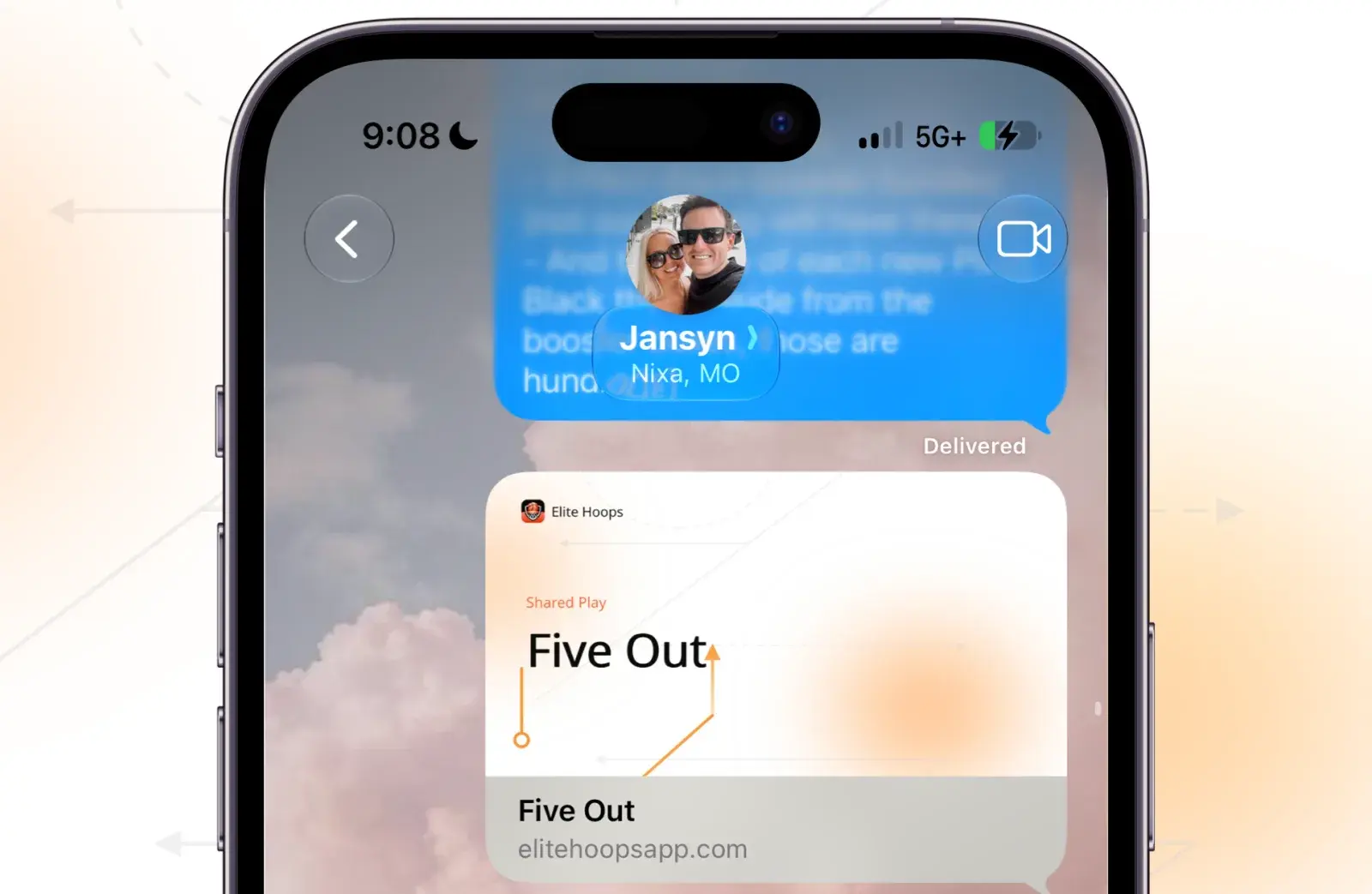

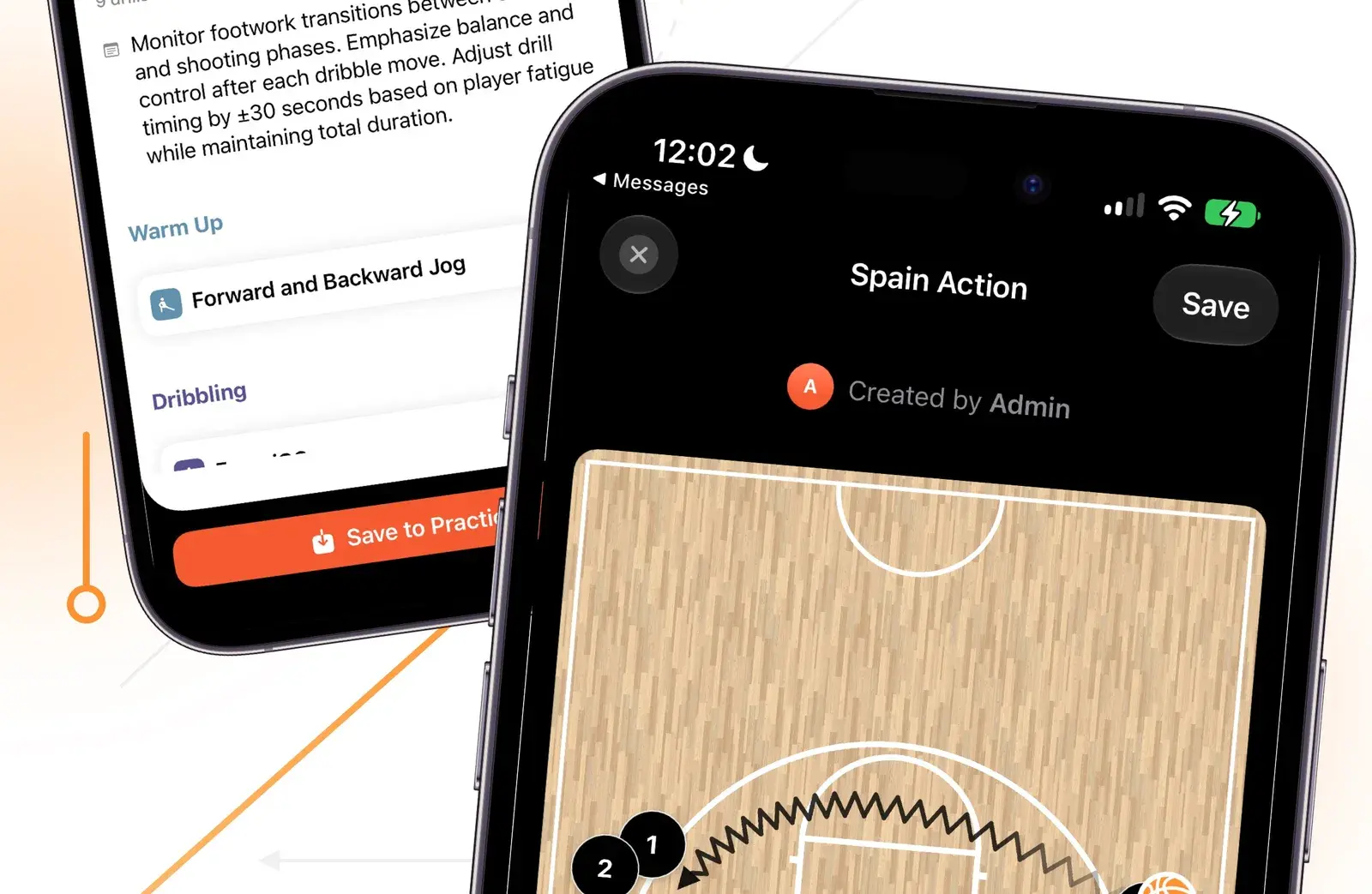
1 · Tap Share on any play, practice, or drill to create its public link.
One link, and you stay in control
From any play, practice, or drill, tap Share and create a public link. That's the whole flow. The link is view-only — nobody can touch your original — and you can stop sharing at any time. Turn it back on later and the link stays the same, so nothing you already sent goes stale.
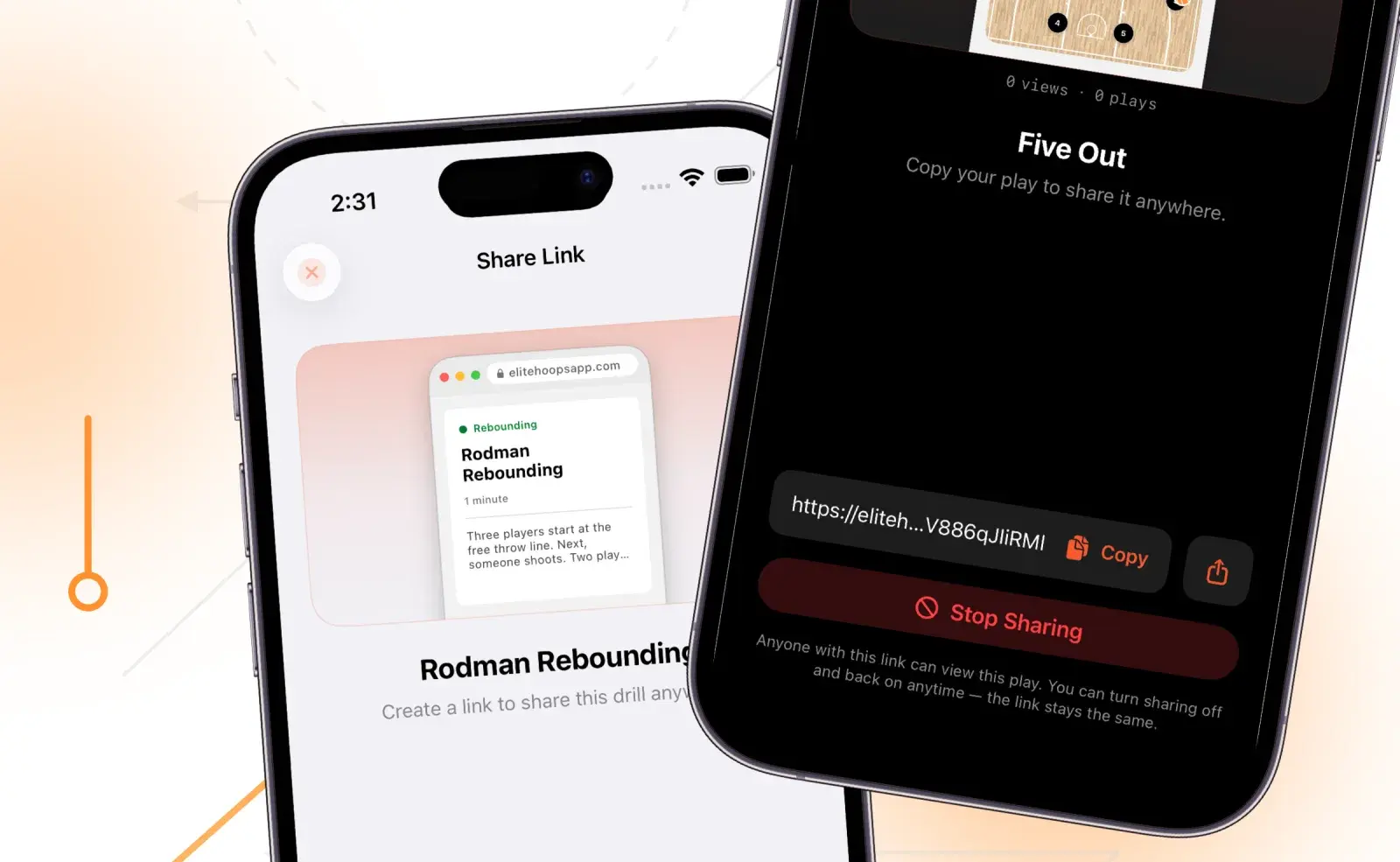
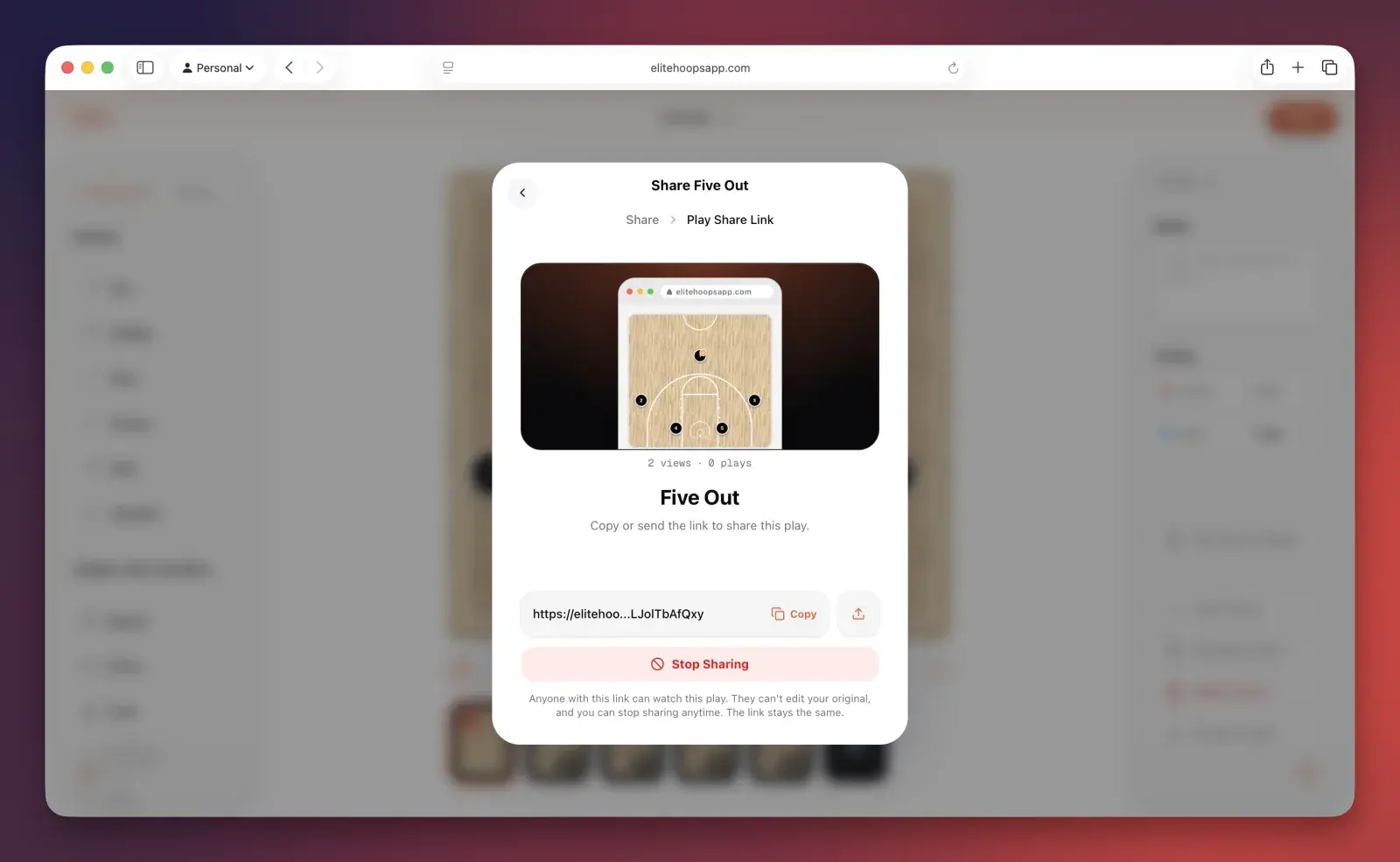
Create the link, copy it, and stop sharing whenever you want — right from your phone.
And this works everywhere Elite Hoops does — from your iPhone, iPad, or the web app, the same share controls are right there.
You can try it out now — visit any of these links:
- Five Out: The classic motion offense.
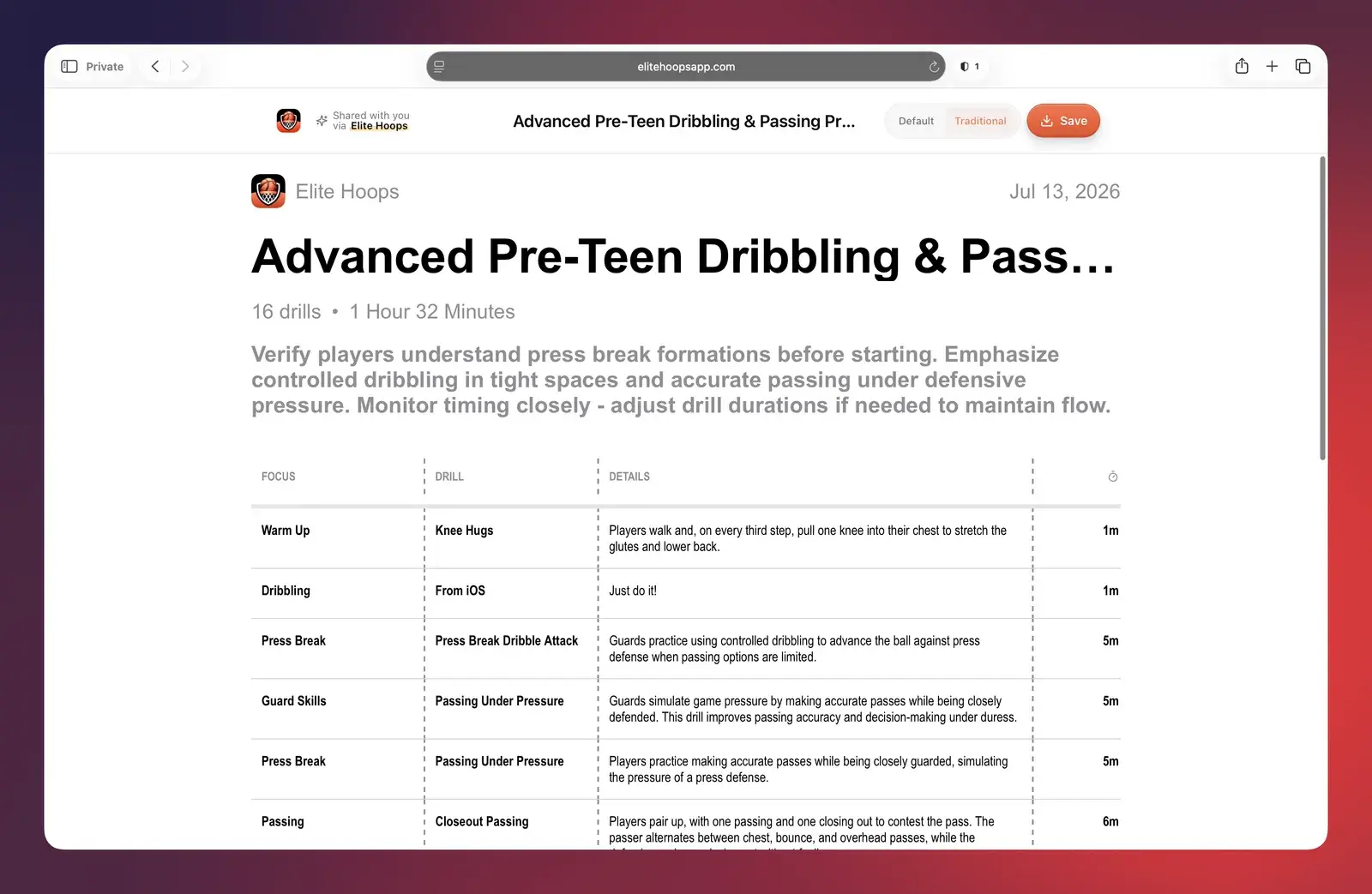
- Practice Plan: View an entire practice build around learning press breaks.
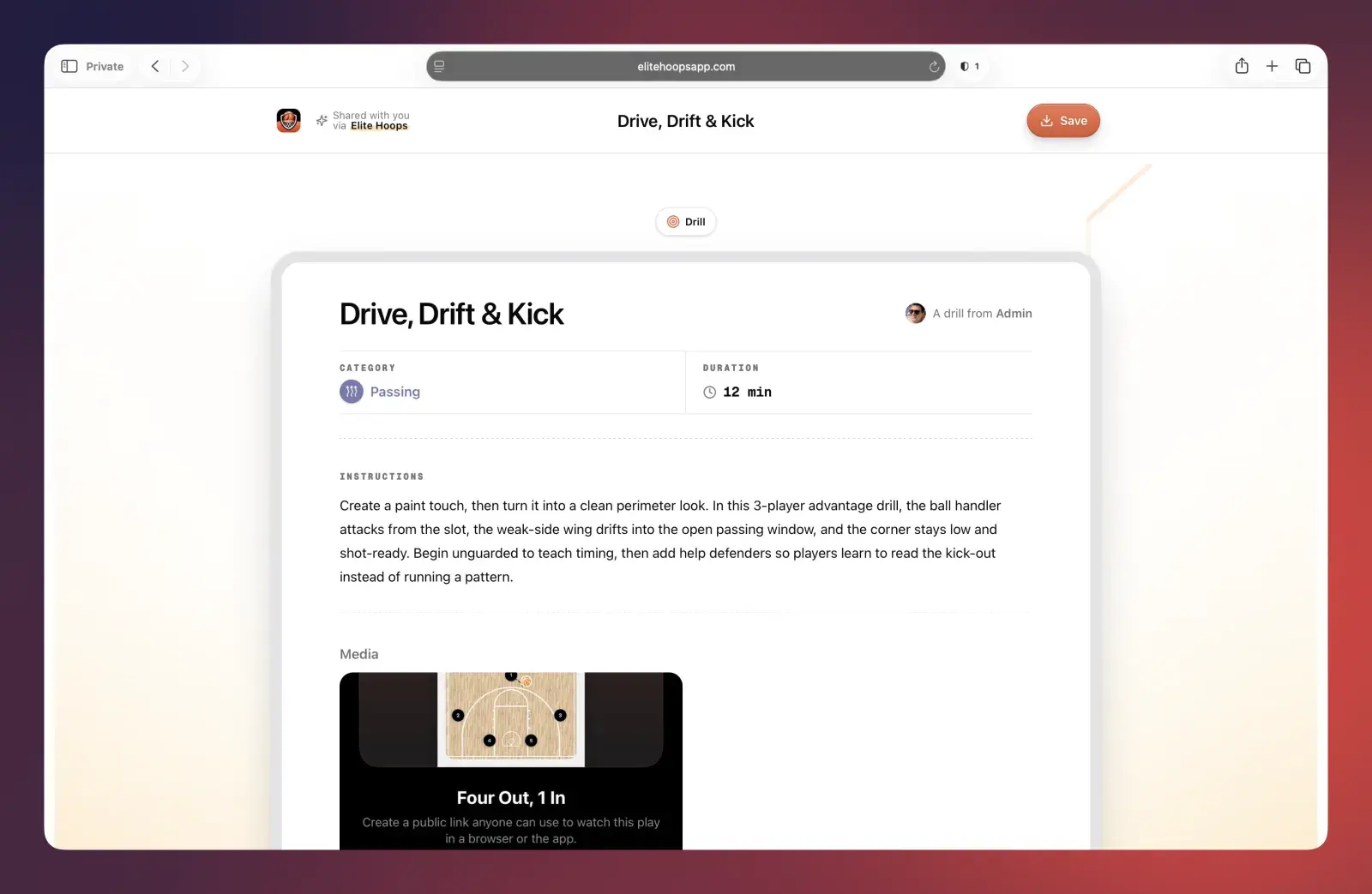
- Drill: Or how about teaching drive and kick concepts?
For plays, you'll also see view and playback counts right on the link screen. If you've ever wondered whether your team actually watched the set before practice, now you know.
Completely polished and ready to represent your team
Let's be honest, most basketball coaching software just looks...ugly. Elite Hoops never will. We sweat the little things, so when you drop a share link into any messaging app, or post it on social, whatever — it shows up as a real card with your play's name. Your players tap it and they're watching the play three seconds later.
Three ways to watch a play
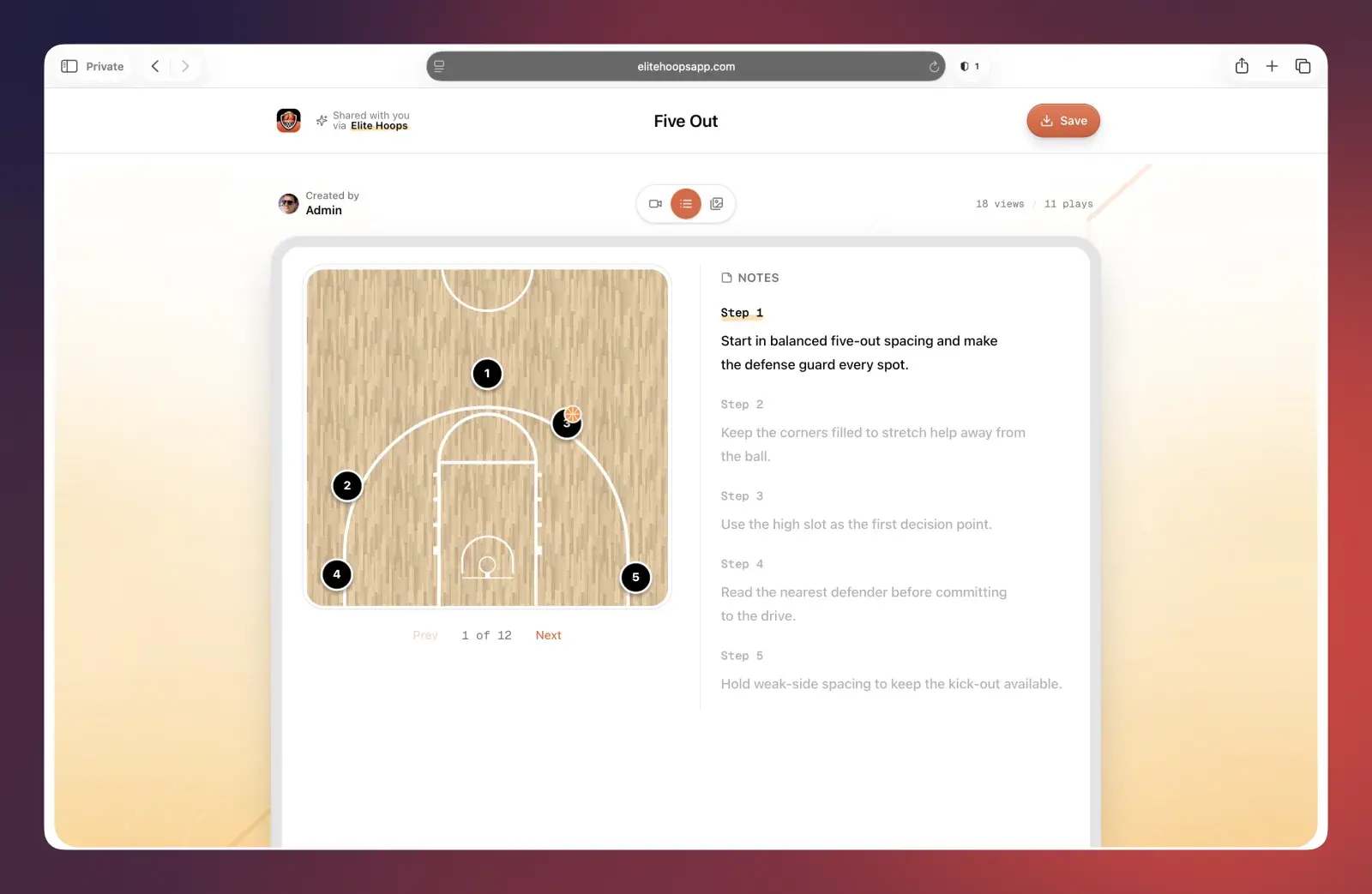
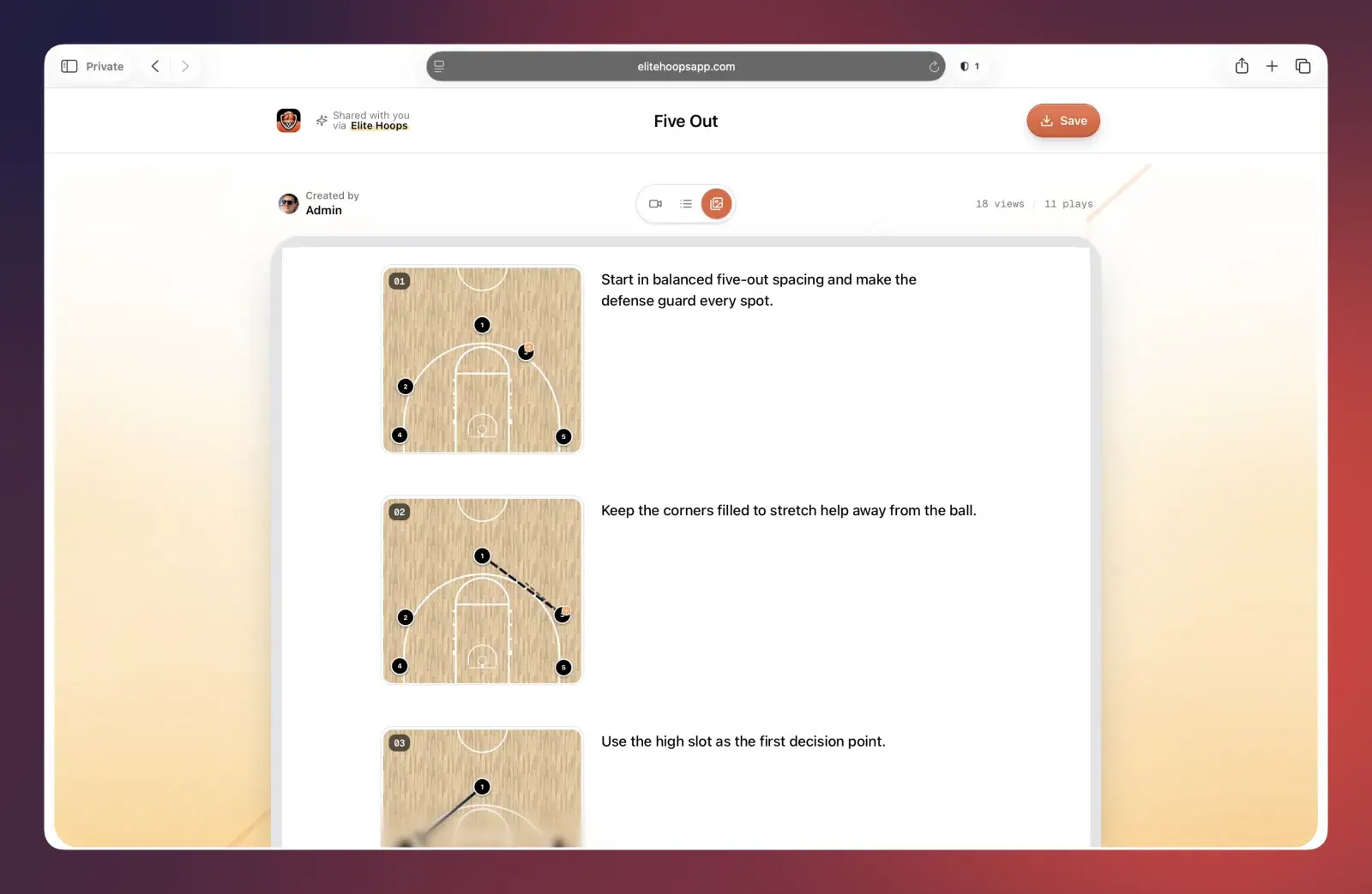
Not everyone absorbs a set the same way, so a shared play comes with three views built in:
Video. The play runs exactly as you built it — every frame, every cut, every screen — with your coaching notes flowing alongside the timeline, highlighting as the play moves.
Steps. A go-at-your-own-pace walkthrough. Tap next and the players animate into the following frame. Your notes sit beside the court as a numbered list, and tapping any step jumps straight to it.
Images. The whole play as a scrolling storyboard — every frame numbered with its notes next to it. Perfect for the film-room folks who want to study the whole thing at a glance.
Practices and drills travel too
Share Links aren't just for plays. Send a full practice plan to your assistants and they get the whole session — focus areas, drill blocks, timing, and your notes — laid out cleanly in the browser:
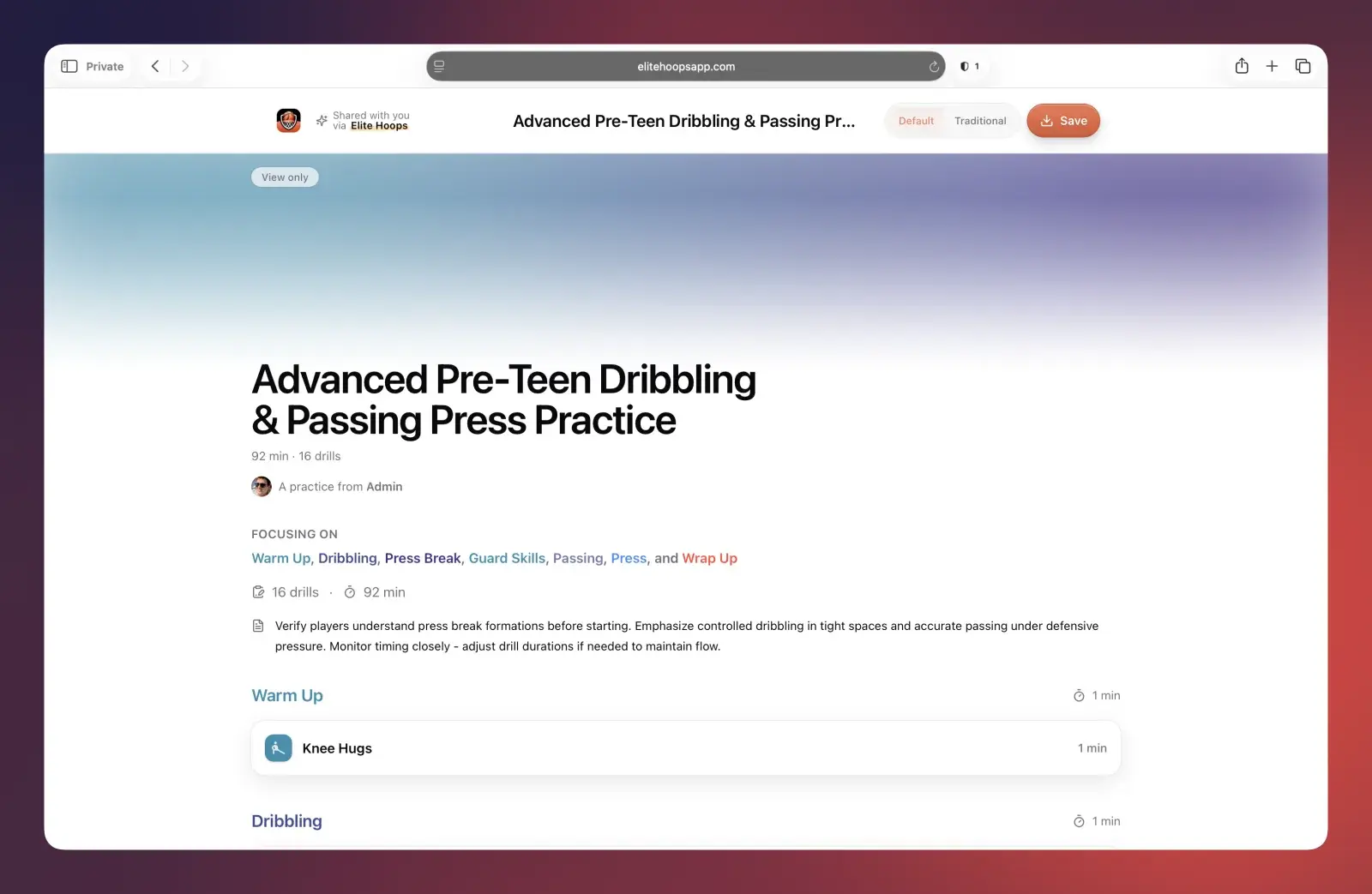
Prefer the classic printed-practice-plan look? There's a Traditional view too — one tap flips the same practice into a clean table your veteran assistants will feel right at home with:
Drills work the same way — category, duration, instructions, and any attached media, all on one page:
And if they have the app, it's even better
Links open beautifully in any browser, but if the person you sent it to has Elite Hoops installed, the same link opens right in the app — full native playback, same notes, same everything. And whichever way they're viewing, anything you share can be saved to their own account with one tap, so a fellow coach can take that BLOB you drew up and make it their own.
Whiteboard photos had a good run
This is the feature I've wanted in Elite Hoops since day one: your preparation, in your players' hands, with zero friction in between. Draw it up once, send one link, and everybody's on the same page — literally.
Share Links are available now for plays, practices, and drills. Download Elite Hoops from the App Store, open any play, and hit Share.
