Basketball Shot Charts Built for the Sideline
Tap the court once for a miss and twice for a make. Elite Hoops sorts every shot by type and keeps the percentages current while the game is still going.
In the iPhone and iPad app, with Elite Hoops Pro.
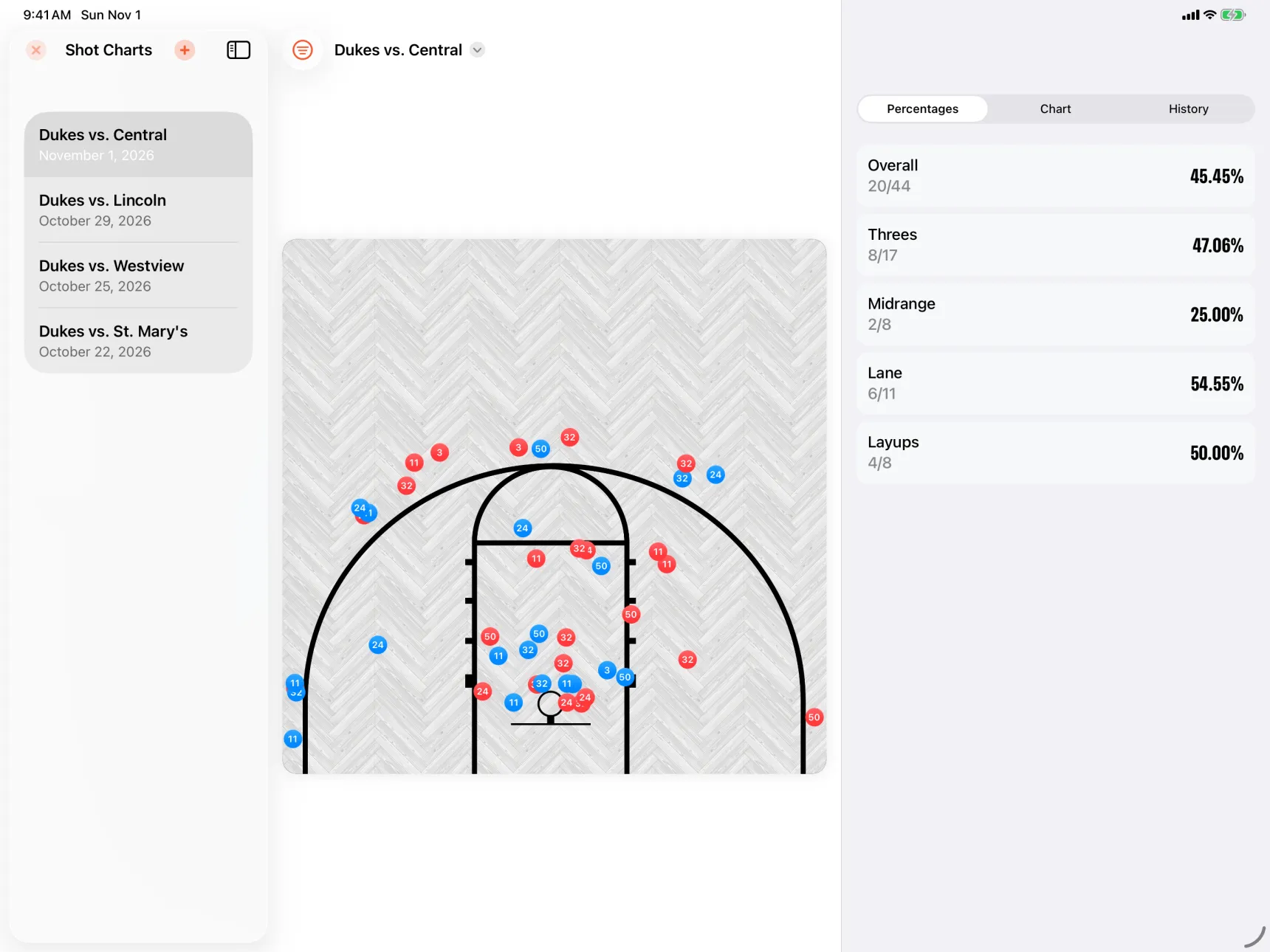
Chart it courtside. Read it at halftime.
Tag the shooter. Link a chart to your team and History lists who took every shot.
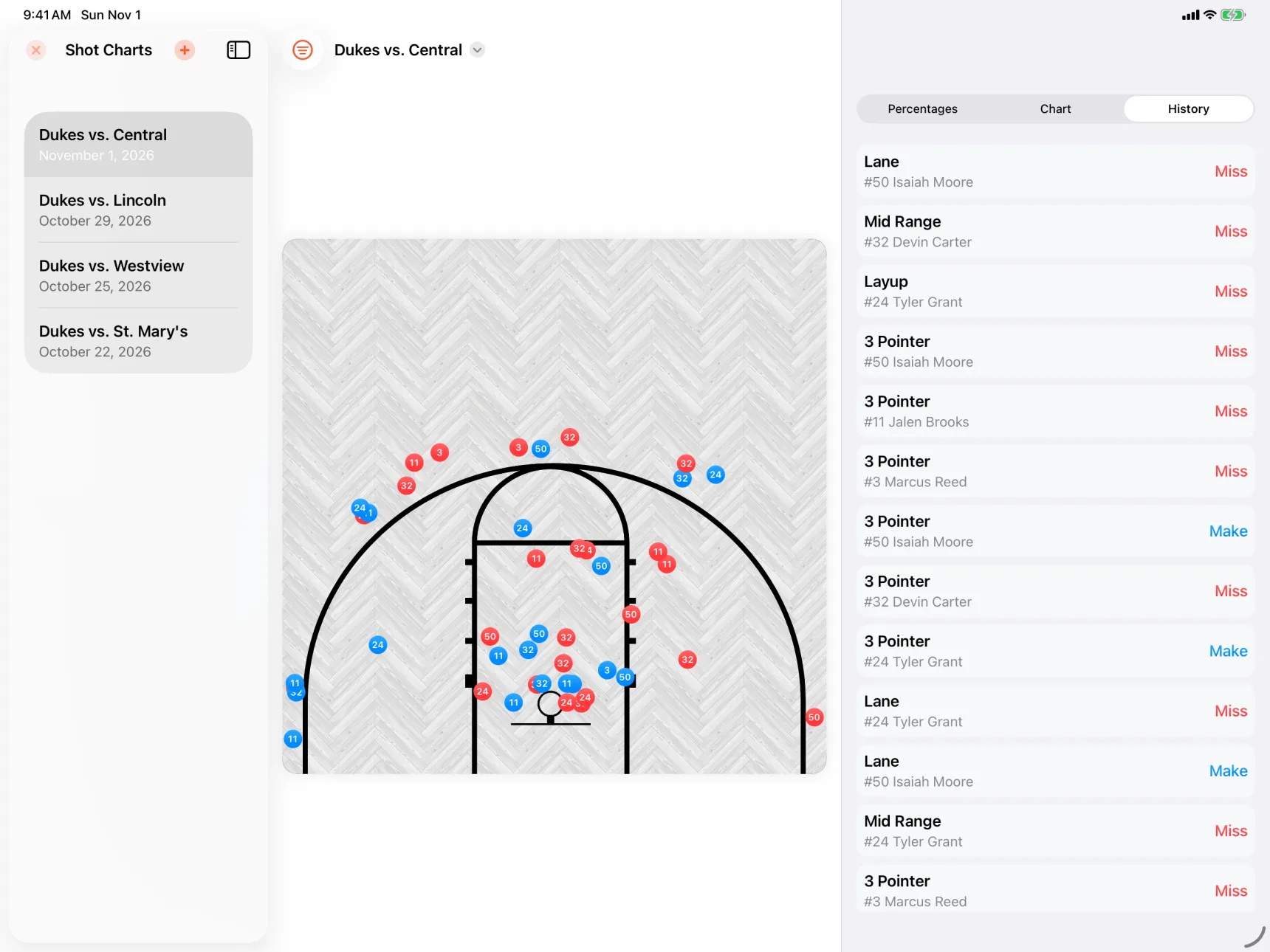
Your tap sets the shot type. Where you tap decides the type: a three, a midrange, a lane shot or a layup.
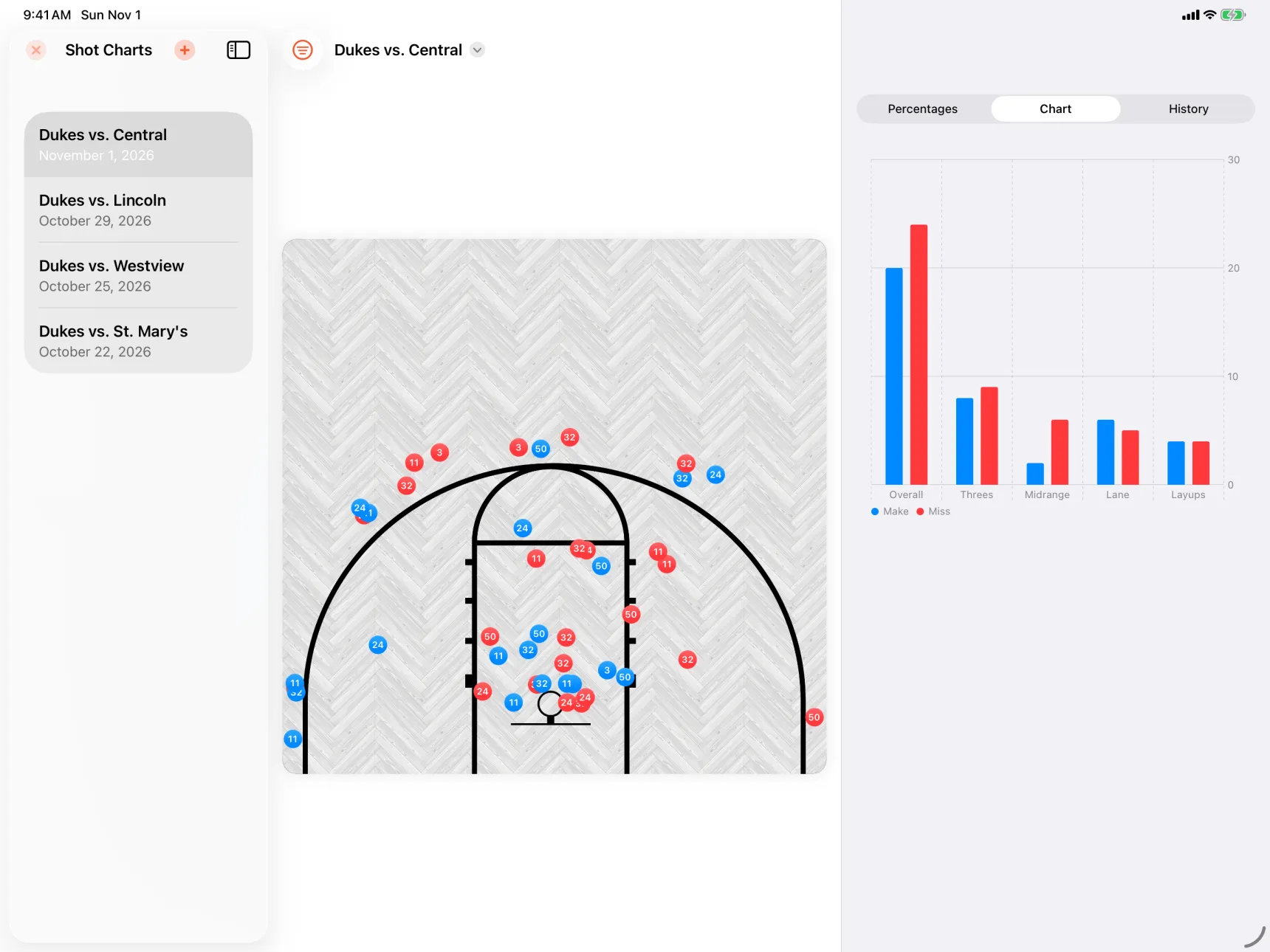
Filter the chart. Show one player’s made threes.
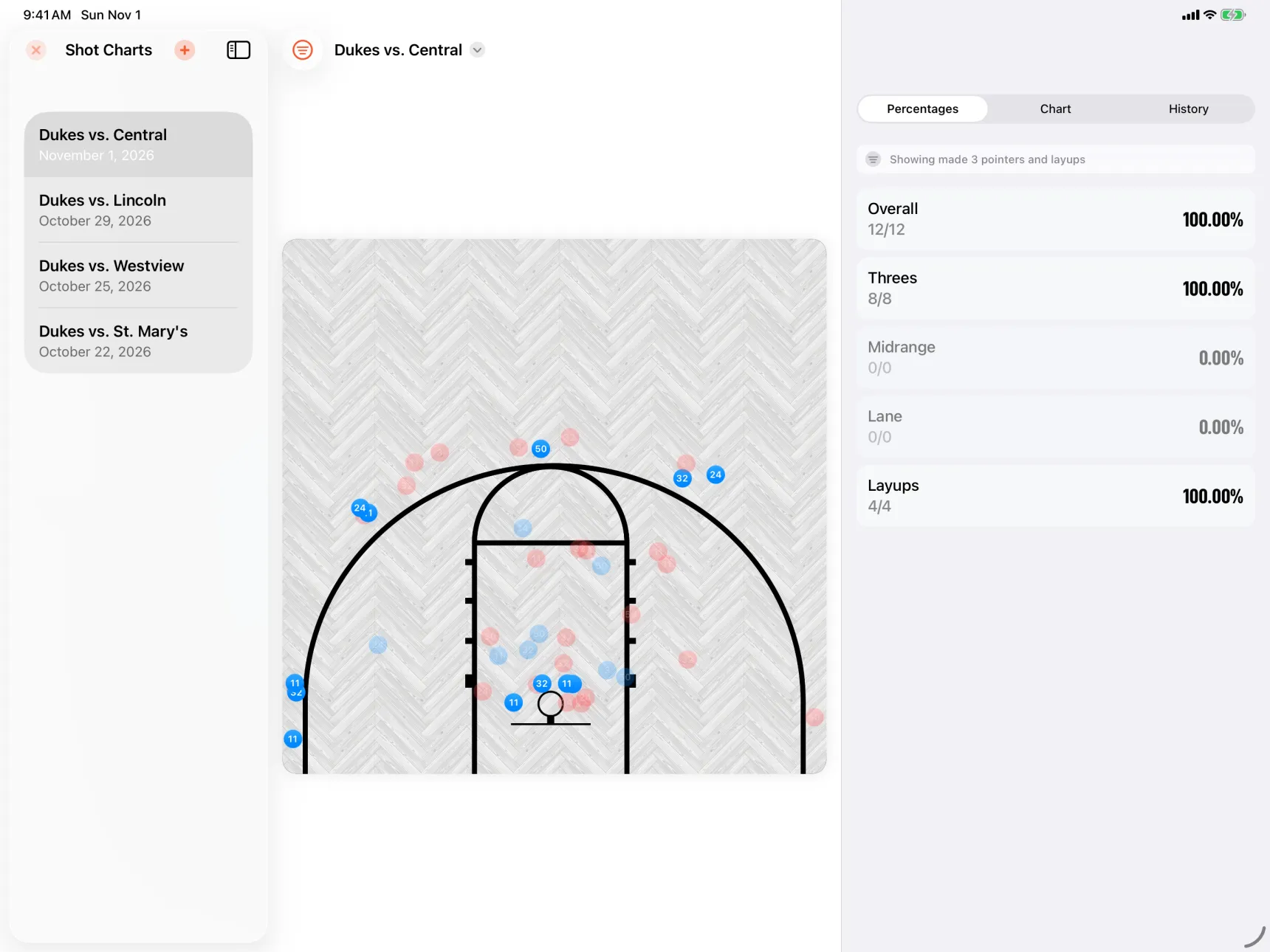
Percentages that keep up. Overall and by shot type.
How to Chart Shots in Elite Hoops
Create a chart
Name it after the game, pick the court, and link one of your teams if you want each shot tagged to a player.
Tap where the shot went up
One tap is a miss and two is a make. The shot type comes from where you tapped, so there is nothing to fill in between possessions.
Read the split
The percentages update with every shot. Chart shows makes and misses by type, History lists every shot in order, and a filter narrows it to one player or one kind of shot.
Simple Pricing
Pick the plan that fits your season.
Every plan unlocks Elite Hoops Pro. A Team Plan adds a private playbook for the coaches, players, and parents you invite.
Monthly plan
Most flexibleFull Pro access with the most flexibility.
USD per month
Quarterly plan
Most popularA strong fit for a season or training block.
USD every 3 months
Checkout securely processed by Stripe
Your Complete Coaching Edge
Plan sharper, teach faster, and keep every team organized with the full Elite Hoops toolkit.
- Export animated play videos
- Share plays as PDF or images
- Share anything with a public link
- Create printable practice plans
- Save your own drill library
- Build unlimited teams and playbooks
- Use team rosters, logos, and courts
- Cloud sync and backups
- Available on web and Apple devices
Frequently asked questions
Discover More Elite Hoops Features
Packed with tools for coaches and trainers